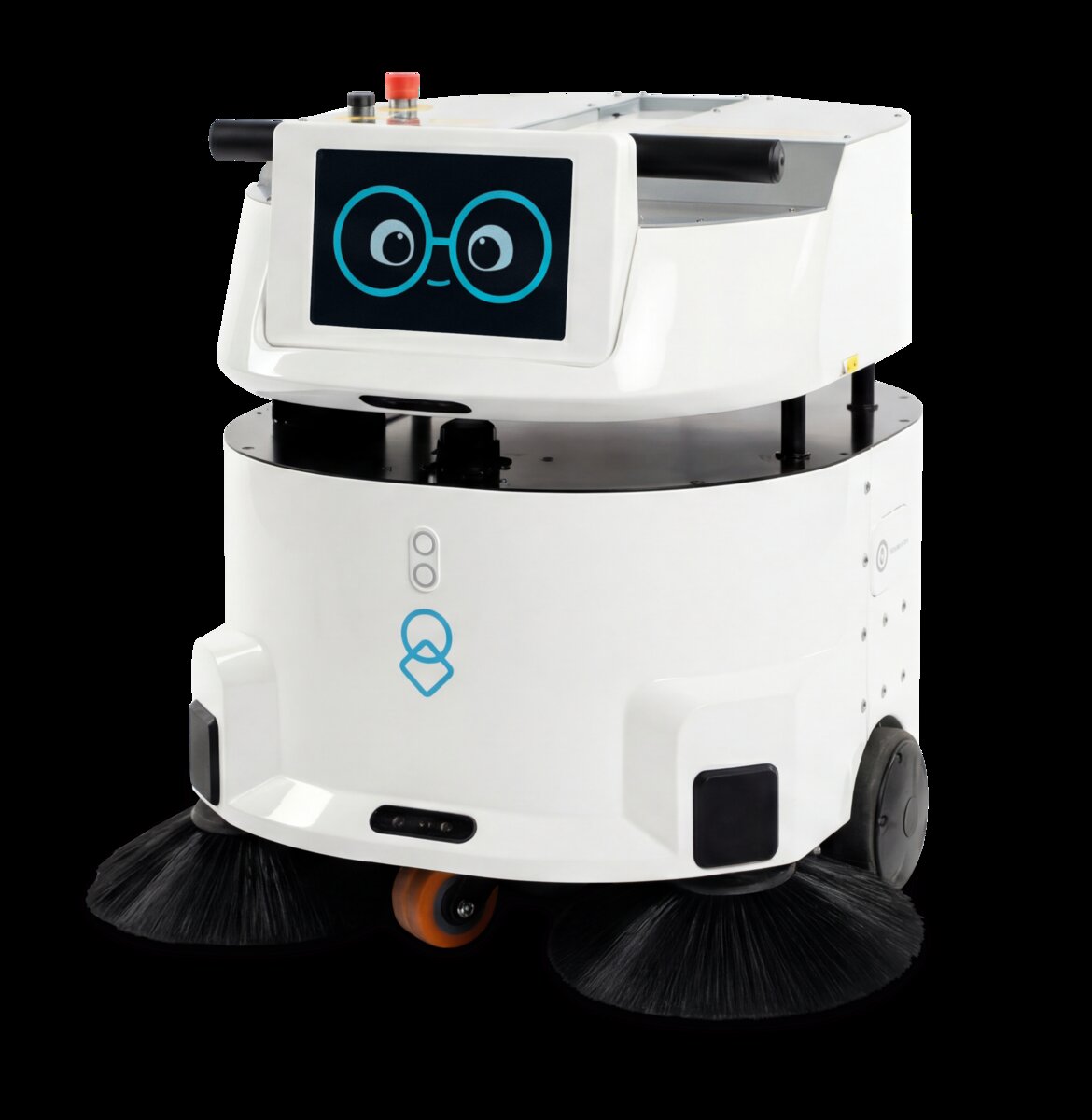
Why Night Shift Is Ideal for Autonomous Cleaning
Night shift cleaning is the natural fit for autonomous robots. When buildings are empty, robots can operate safely and effectively without complex safety measures required for daytime human-robot shared spaces.
Key Advantages
- No human interference: Buildings are empty, eliminating collision and safety risks inherent in shared spaces
- Predictable routes: Night shift allows robots to take optimal, consistent paths without navigating around dynamic human activity
- Extended runtime: No need to pause cleaning for occupant convenience; robots can clean continuously for 8-12 hours
- Quality standards: Cleaning happens at same time every night, creating consistent facility conditions for occupants
- Rapid deployment: Many facilities already have some night cleaning staff; robots complement or replace this workforce
Scheduling Strategies & Route Planning
Autonomous cleaning robots need well-designed schedules to maximize coverage and efficiency.
Time-Based Scheduling
Define when robots should operate:
- Daily: Run every night (e.g., 10pm-6am). Ensures consistent facility condition.
- Frequency-based: High-traffic areas cleaned nightly; lower-traffic areas cleaned 3x weekly.
- Task-based: Different robots handle different tasks (one for main hallways, another for restrooms) on varying schedules.
- Seasonal: Increase frequency during high-demand periods (winter when more outdoor contamination brought in).
Route Planning & Optimization
Most cleaning robots create a map of the facility during initial setup. You then define cleaning zones:
- Zone selection: Designate which areas the robot should clean (main hallway, restrooms, office areas, etc.)
- Docking station placement: Robot must charge between runs. Station should be near zones to be cleaned and have clear access.
- No-clean zones: Mark areas the robot should avoid (server rooms, storage, equipment).
- Priority areas: High-traffic areas get cleaned first, ensuring they're clean if robot runs out of battery.
Scheduling Best Practice
Start with one robot operating 5 nights per week in a defined zone. Monitor results and optimize the schedule based on facility feedback. As staff and operations adjust, expand frequency or add robots to other areas. This incremental approach reduces deployment risk.
Noise Considerations & Acoustic Planning
Even in empty buildings, noise matters. Adjacent facilities, security personnel, and nearby residents may be affected by cleaning robot noise.
Noise Levels
| Activity | Noise Level (dB) | Reference |
|---|---|---|
| Typical Cleaning Robot | 65-75 dB | Similar to normal conversation |
| Human Janitor (equipment) | 75-85 dB | Louder; more variable |
| Vacuum Cleaner (handheld) | 85-90 dB | Significantly louder |
| Leaf Blower | 90-100 dB | Very loud; hearing damage risk |
Noise Mitigation
- Choose low-noise robots: Select models with noise ratings under 70 dB
- Run during acceptable hours: Start after 9pm, end by 6am in most cases; verify local noise ordinances
- Schedule maintenance: Perform high-noise tasks (stripping/waxing, if applicable) when acceptable
- Notify neighbors: Communicate schedule to nearby facilities and residents; most are understanding if informed in advance
- Isolate noise sources: Keep docking stations away from walls shared with neighbors
Safety in Empty Buildings
While empty buildings eliminate human-robot collision risk, other safety considerations apply:
Facility Safety Risks
- Tripping hazards: Floors with obstacles, cables, or uneven surfaces can disable robots or create hazards
- Water hazards: Spills or wet floors can cause electrical issues; robots need protective features
- Escape routes: Robots should not block emergency exits or stairwells
- Temperature extremes: Very hot or cold facilities may affect robot battery and sensor performance
Operational Safety Procedures
- Establish a pre-cleaning facility walkthrough (checking for hazards)
- Define robot-free zones (near electrical panels, hazardous areas)
- Set up emergency stop capability (physical button or remote shutdown)
- Create incident logging procedures for any robot failures or issues encountered
Integrating with Security Systems
Robots in buildings overnight must work within security infrastructure:
Access Control Integration
- Door access: Robots need to open doors to access different building areas. This requires either geofencing to restricted areas or integration with access control systems.
- Key card readers: Some advanced systems can read key cards attached to robots, allowing them to move through secured areas.
- Scheduled access: Configure security system to grant robot access during cleaning hours only.
Surveillance Integration
- CCTV notification: Security should know cleaning robots will appear on cameras; brief them on robot appearance to avoid false alarms
- Scheduled monitoring: Review robot camera footage as part of security review if robots have onboard cameras
- Incident documentation: If robot encounters an unauthorized person or suspicious activity, this should trigger security response
Security Handoff Procedures
If building changes from day to evening shift, establish clear procedures:
- Security personnel confirm building is empty before robot begins operation
- Robot begins cleaning on fixed schedule
- If emergency occurs (fire alarm, intrusion), robot responds appropriately (stops, returns to dock, or exits area)
- Morning security confirms robot has stopped and facility is secure before day staff arrives
Morning-Ready Facilities & Quality Standards
The goal of night cleaning is that facilities are spotless and fresh for occupants arriving in the morning. Set clear quality standards:
Quality Metrics
- Coverage: X% of floor area cleaned (typically 85-95% realistic for autonomous robots; 100% requires manual finishing in some areas)
- Time standard: Hallways cleaned between X and Y times each night
- Appearance standard: No visible dust, no streaking, professional appearance
- High-touch cleanliness: High-touch surfaces (handles, switches) cleaned to sanitary standard
Quality Assurance Checks
- Morning walk-through by facilities staff to verify cleanliness
- Weekly deep cleaning in areas robots miss (under furniture, corners, etc.)
- Monthly audits comparing robot-cleaned areas to pre-robot baseline
- Occupant feedback surveys (do areas feel clean? Any complaints?)
Hybrid Approach Works Best
Most successful deployments combine robot cleaning with targeted human cleaning. Robots handle the bulk of regular floor cleaning (70-80% of work), while human staff focus on high-touch surfaces, restrooms, and detailed cleaning. This gets the best of both worlds: efficiency of robots plus quality oversight of humans.
Cost Comparison: Robot vs. Night Crew
The financial case for night-shift robots is strong, especially in high-wage areas:
| Cost Factor | Night Crew (1 FTE) | Cleaning Robot |
|---|---|---|
| Annual Salary + Benefits | $35,000 - $48,000 | $0 (capital cost amortized) |
| Equipment & Supplies | $500 - $1,000/year | $200 - $400/year (consumables) |
| Turnover & Replacement | 40% annual; ~$15,000 replacement cost | 5-7 year lifespan; $60,000 - $80,000 equipment cost |
| Supervision & Management | 10-15% of labor cost | Minimal; mostly remote monitoring |
| Total Annual Cost (Year 1) | $50,000 - $65,000 | $15,000 - $20,000 (if robot financed; capital amortization) |
ROI typically achieved in 18-36 months for facilities with existing night crew. Additional benefits include consistency (same quality every night), safety (no worker injury risk), and flexibility (robot never calls in sick).
Remote Monitoring & Performance Tracking
Modern cleaning robots can be monitored remotely, giving facilities managers visibility into operations:
Real-Time Monitoring
- Live map view showing robot location and cleaned areas
- Battery status and predicted runtime remaining
- Obstacle detection and avoidance events logged
- Mobile alerts if robot encounters an issue or stops unexpectedly
Historical Performance Data
- Coverage reports (which areas were cleaned, how long each took)
- Efficiency trends (is the robot getting better or worse at its job?)
- Maintenance logs (what broke, when was it fixed?)
- Incident history (collisions, emergency stops, mission failures)
Performance Dashboard
Set up a dashboard showing:
- Nightly cleaning completion percentage
- Average cleaning time per area
- Robot utilization (hours running / hours available)
- Maintenance and downtime
- Cost per square foot cleaned (compared to manual crew)
Implementation & Transition Planning
Pilot Phase (Weeks 1-12)
- Deploy one robot in highest-priority cleaning zone
- Establish baseline quality metrics with human crew
- Train night security and morning staff to work with robot
- Optimize robot schedule and routes
- Measure quality, cost, and occupant satisfaction
Transition Phase (Weeks 13-24)
- If pilot successful, reduce human night crew by one FTE
- Redeploy freed staff to daytime detailed cleaning or other roles
- Add second robot if facility size warrants it
- Formalize quality standards and monitoring procedures
Optimization Phase (Ongoing)
- Continue monitoring performance data and adjust schedules
- Plan for robot maintenance and eventual replacement
- Capture lessons learned for potential expansion to other buildings
- Evaluate newer robot models as technology improves
Success requires planning, clear communication with all stakeholders, and commitment to optimization. The first 90 days determine whether a deployment thrives or struggles.