Why Elevator Access is the #1 Deployment Barrier
Autonomous delivery robots excel on flat floors but hit a wall at staircases and elevators. In hospitals, office buildings, and hotels, vertical transport is essential. A delivery robot confined to a single floor loses its value—it can deliver to 3 floors instead of 12, reducing efficiency by 75%.
Elevators are complex: each has unique control systems, safety interlocks, and emergency protocols. Some elevators have open APIs; others require custom relay board interfaces. Building codes may restrict robot access during peak hours or prohibit robots in certain zones. These technical and regulatory barriers make elevator integration the single largest challenge in multi-floor robot deployments.
But it's solvable. With the right approach—combining hardware, software, and vendor coordination—your robots can safely and reliably access all floors. Here's how.
Three Integration Methods
There are three primary ways to enable robots to interact with elevators. Choose based on your elevator system's capabilities and your facility's constraints.
Method 1: API Integration (Ideal)
How it works: The elevator control system exposes an API (Application Programming Interface) that your robot software can call. Your robot sends HTTP requests: "Call elevator to Floor 2," and "Exit at Floor 5." The elevator responds with status: "En route," "Arrived," "Doors closing."
Advantages: Cleanest integration. No hardware modifications. Safest (no physical switches). Easiest to maintain and upgrade.
Disadvantages: Requires elevator manufacturer support. Not all older systems have APIs. May require network connectivity (WiFi or wired) near the elevator.
Suitable for: Modern buildings with network-connected BMS (Building Management System). Hotels, hospitals, and corporate offices with recent elevator retrofits.
Method 2: Relay Board Interface (Practical)
How it works: A relay board (small electronic device) sits between the robot and the elevator's call buttons. Instead of pressing buttons with a finger or custom gripper, the robot sends electrical signals to the relay board, which simulates button presses. The robot monitors floor sensors and door status through dedicated wiring.
Advantages: Works with almost any elevator. No API required. Less dependent on WiFi. Proven in thousands of deployments.
Disadvantages: Requires physical wiring and installation. More complex to troubleshoot. Custom engineering for each building. Potential safety certification challenges.
Suitable for: Facilities with older elevators, or where elevator APIs are unavailable. Most hospital deployments today use relay boards.
Method 3: Cloud Bridge (Emerging)
How it works: A cloud-based intermediary translates robot commands into elevator-specific signals. The robot sends commands to the cloud platform, which interprets them and controls the elevator via a local gateway. This decouples the robot from elevator specifics.
Advantages: Vendor-agnostic. Scalable across multiple buildings. Enables remote monitoring and diagnostics.
Disadvantages: Requires cloud infrastructure and latency tolerance. Relies on internet connectivity. Less direct control than on-site integration.
Suitable for: Large facilities or facility networks (hospital chains) managing many robot fleets across multiple buildings.
Elevator Manufacturer Compatibility
Your elevator's brand and age dramatically affect integration complexity and cost.
| Elevator Brand | API Available | Relay Board Difficulty | Typical Integration Cost |
|---|---|---|---|
| Otis (modern systems) | ✓ Yes | Low | $15K–$25K |
| Schindler (newer) | ✓ Yes | Low | $15K–$25K |
| ThyssenKrupp | ? Partial | Medium | $20K–$40K |
| Kone | ? Partial | Medium | $20K–$40K |
| Mitsubishi | ✗ No | Medium | $25K–$45K |
| Vintage/Unfamiliar | ✗ No | High | $40K–$60K |
First action: Contact your elevator maintenance company and identify the system brand and control model. Ask if they support third-party integration or have documented APIs. This single conversation can save weeks.
Building Management System Coordination
Most modern buildings have a BMS: a central system that controls HVAC, lighting, security, and elevators. Coordinating with your BMS team is critical.
Inform and Align
Meet with your BMS manager before integrating robots. Share:
- Robot specifications (size, weight, speed, acceleration profile)
- Expected usage patterns (peak hours, volume, destination floors)
- Integration method you propose (API, relay board, cloud)
- Safety certification and testing plans
Elevator Capacity Planning
A delivery robot adds weight to the elevator cab. If you're deploying 3 robots and the elevator operates at near-capacity during peak hours, you may need to restrict robot usage to off-peak times or add a dedicated freight elevator. Calculate:
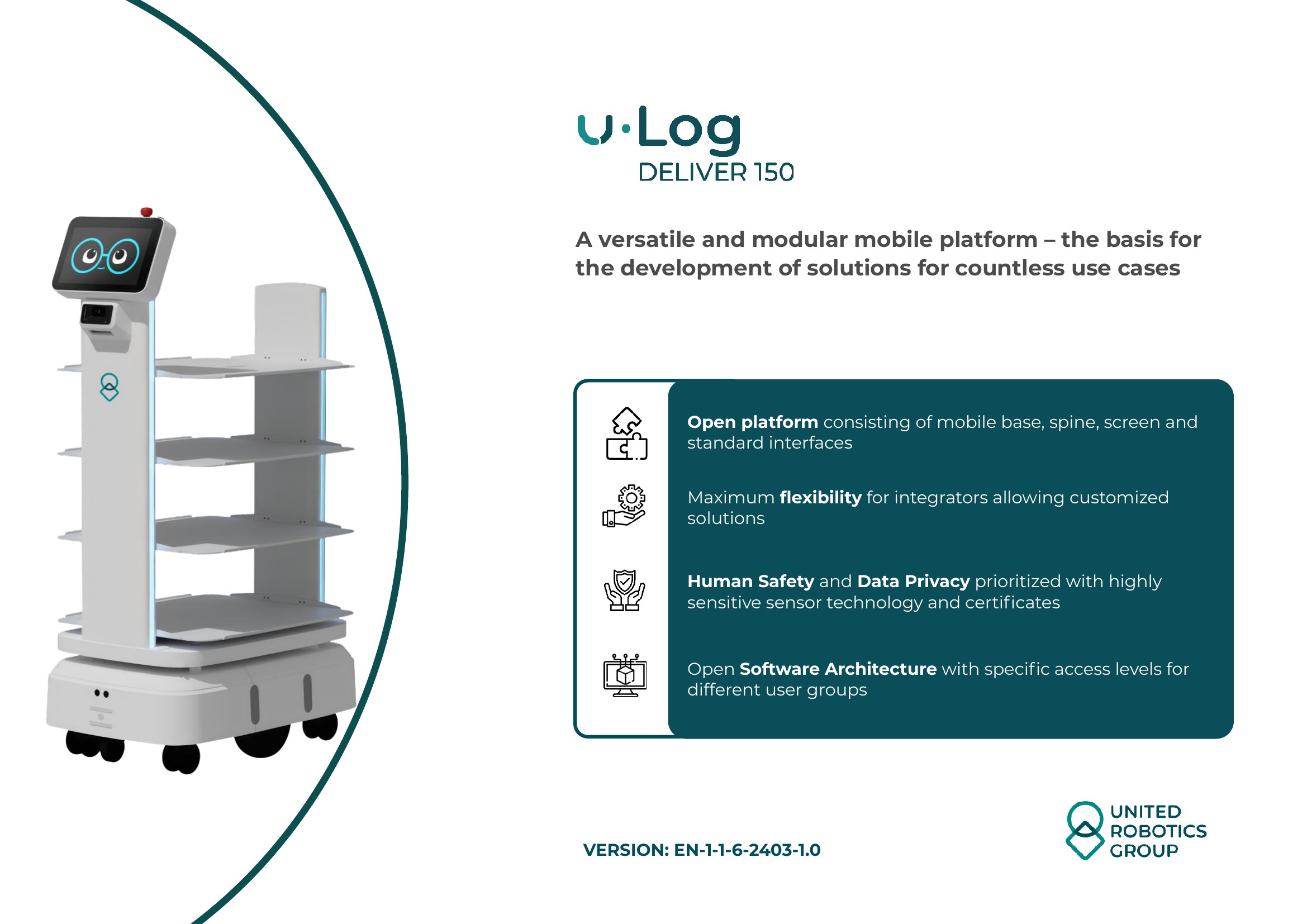
- Robot weight + cargo (uLog Deliver 150 = ~300 lbs loaded)
- Peak hour occupancy patterns (staff, patients, visitors)
- Elevator weight capacity (typical modern elevators: 2,000–4,000 lbs)
- Local building codes for mixed-use elevator access
Safety Certification Requirements
Your BMS manager and building's insurance carrier may require proof that robots have been safety-tested in elevators. This typically involves:
- Dry-run testing (robots ride elevators with a technician present, monitoring behavior)
- Documentation of emergency stop protocols (how robots halt if doors malfunction)
- Liability insurance that covers autonomous elevator use
- Written agreement between your facility and robot vendor on emergency procedures
Pro Tip: Designate a Liaison
Assign one person from your team to be the single point of contact with the BMS manager. This prevents miscommunication, accelerates problem-solving, and ensures continuity if staff turn over.
Safety Protocols and Regulations
Robots in elevators must never endanger people. Implement these non-negotiable safety measures:
Emergency Stop
Every robot in an elevator must have a hardwired emergency stop that halts all motion instantly. If the elevator's door sensor fails or the robot encounters a person in the doorway, the E-STOP mechanism must activate within 500 milliseconds.
Door Safety Interlocks
Robots must never enter an elevator with doors closing or at an unsafe angle. Use the elevator's own door sensor feedback. If the door begins to close while the robot is partially inside, the robot immediately reverses and exits.
Weight and Center-of-Gravity Validation
Some elevators have load sensors. If a robot + cargo exceeds rated capacity, the elevator won't move. Test your actual deployment weight (empty + typical cargo) with the elevator manufacturer before go-live.
Communication Timeouts
If your robot loses communication with the elevator (WiFi drop, relay board disconnect), it must assume the worst: doors may close, elevator may move unexpectedly. The robot should exit the elevator immediately or hold position (never move toward doors).
Testing and Documentation
- Conduct 50+ test cycles in each elevator with a technician present
- Test door sensor failures (partially open door, slow close)
- Test communication dropouts and recovery
- Document all tests with timestamps and outcomes
- Create troubleshooting guide for facility staff (what to do if robot gets stuck)
Multi-Floor Routing Logic
Once robots can access elevators, you need smart routing software to decide which robot services which delivery and how it navigates between floors.
Dispatch Algorithm
Your dispatch system should consider:
- Robot location: Which floor is the robot currently on?
- Destination: Where does the delivery need to go?
- Elevator availability: Is there an elevator nearby? Is it in use?
- Time cost: Elevator wait time + travel time. Route to minimize total delivery time.
- Battery health: If a robot's battery is low, don't send it on a 10-floor journey.
- Load: Heavy loads take longer; adjust routing accordingly.
Elevator Queue Management
If multiple robots call the same elevator simultaneously, the building's BMS should prioritize. You can request the following rules:
- Robots get lowest priority (after staff and visitors)
- Robots are batched: if 3 robots need floors 2, 3, 5, send them together rather than separately
- During peak hours (8–9 AM, 12–1 PM, 5–6 PM), robots use off-peak routing (avoid main elevators)
Cost and Timeline Expectations
Budget accordingly. Elevator integration is expensive and time-consuming.
Cost Breakdown (Per Elevator)
- Engineering and assessment: $2K–$5K (is integration feasible?)
- Hardware (relay board, sensors, wiring if applicable): $5K–$15K
- Software development and customization: $3K–$10K
- Testing and certification: $3K–$8K
- Installation and commissioning: $2K–$8K
- Training and documentation: $1K–$3K
- Contingency (things go wrong): $5K–$15K
- Total per elevator: $21K–$64K (average ~$35K)
For a 5-elevator building: budget $175K–$320K. For a 12-elevator hospital: $250K–$768K.
Timeline (Per Elevator)
- Weeks 1–2: Assessment and planning. Determine elevator brand and control system.
- Weeks 3–6: Hardware procurement and software development. Elevator vendor may be slow to provide documentation.
- Weeks 7–8: Installation of relay boards or API testing setup.
- Weeks 9–12: Dry-run testing. Many issues discovered here and require rework.
- Weeks 13–14: Final validation, documentation, and staff training.
- Total: 12–16 weeks per elevator (3–4 months)
If you have multiple elevators, you can run these in parallel, but the critical path (first elevator) sets your timeline. Budget 4–6 months total for a multi-elevator facility.
Common Pitfalls to Avoid
Learn from hundreds of deployments. Avoid these mistakes:
Pitfall 1: Assuming All Elevators Are the Same
Reality: Each elevator has unique control logic, wiring, and safety features. Don't assume integration in one elevator will work in another, even if they're the same brand. Test each independently.
Pitfall 2: Underestimating Communication Latency
Reality: WiFi in elevator shafts is often poor. Metal cages block signals. If your API calls take 2 seconds to reach the elevator, but the doors close in 1 second, you've lost the window. Use wired connections where possible, or add redundancy (WiFi + cellular).
Pitfall 3: Ignoring Peak Hour Congestion
Reality: Robots deploying during 8–9 AM (staff arrival), noon (lunch), or 5–6 PM (staff departure) will fight for elevators. This multiplies your per-delivery time by 3–5×. Schedule robot deployments off-peak, or your ROI disappears.
Pitfall 4: Insufficient Safety Testing
Reality: The first time a robot encounters a stuck door, a child pressing buttons, or a power dropout, things go wrong. Invest heavily in testing edge cases. A single safety incident can shut down your entire program.
Pitfall 5: Poor Documentation and Knowledge Silos
Reality: If only one person knows how the integration works, you're at risk. When they leave (and they will), the system breaks. Document everything: API calls, relay board wiring, troubleshooting procedures, escalation contacts.
Success Factor: Partner with Experienced Integrators
Unless your team has prior elevator integration experience, hire a robotics integrator who has done this before. They know the pitfalls, have relationships with elevator vendors, and can accelerate your timeline by 4–8 weeks. Cost: $10K–$30K, but saves far more in rework and delays.
Next Steps: Your Elevator Integration Roadmap
Ready to unlock multi-floor delivery? Follow this sequence:
- Week 1: Identify your elevator systems. Call your elevator maintenance company and ask for documentation and API availability.
- Week 2: Meet with your BMS manager. Discuss constraints, safety requirements, and coordination.
- Week 3–4: Get quotes from integration vendors (typically 2–3 options).
- Week 5: Choose vendor and sign contract. Define scope: which elevators, what integration method, timeline, cost.
- Weeks 6–12: Integration work. Stay in close communication with your vendor and BMS manager. Expect surprises.
- Weeks 13–16: Testing and validation. Have staff present during tests. Troubleshoot issues as they arise.
- Week 17: Go-live. Start with one robot on one elevator. Monitor closely for the first week. Expand gradually.
Elevator integration is hard, but worth it. Once solved, your robots become exponentially more valuable, delivering across entire buildings and unlocking multi-floor operations that manual systems simply cannot match.