Why "It Works" Isn't Good Enough
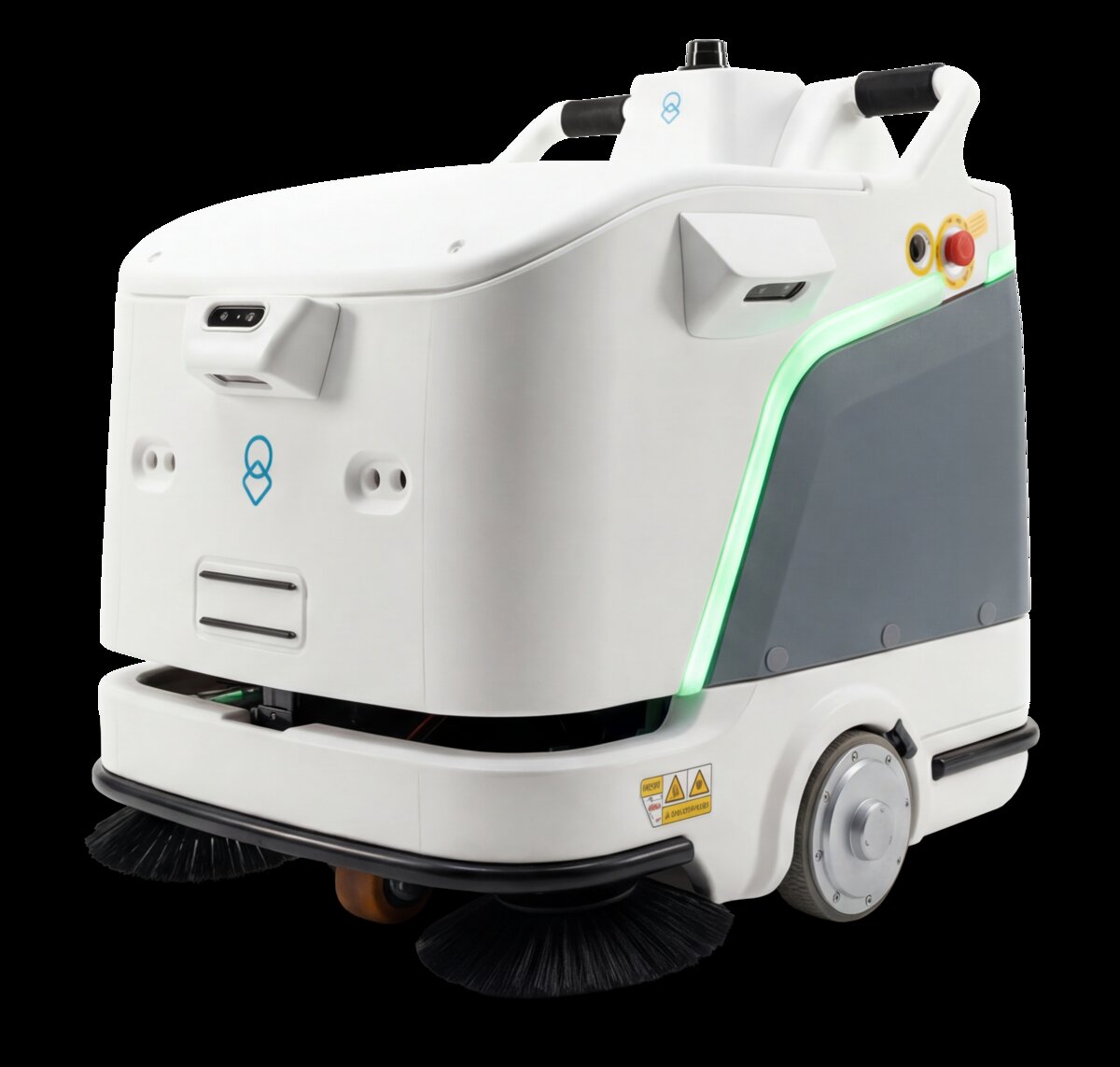
Your facilities team reports that the cleaning robot is working fine. Cleaning is getting done. Staff seem reasonably comfortable with it. It's an observable improvement over before. So what's the problem with just leaving it at that?
Several critical ones. First, without quantified metrics, you can't prove ROI to executive stakeholders. The robot cost $120,000 to $350,000 depending on model—your organization deserves evidence that this investment is delivering value. Gut-feel justification is fine for the first month; after that, decision-makers want data.
Second, without metrics, you can't identify underperformance. A robot running at 60% utilization feels like it's working because cleaning happens. But it's 40% idle, which signals missed opportunity or operational friction that deserves investigation and correction.
Third, without metrics, you can't benchmark continuous improvement. Is your robot faster than it was three months ago? Is labor displacement improving or plateauing? Are consumable costs trending correctly? Without baseline data, you're operating blind. Optimization becomes impossible.
This guide walks through the eight KPIs that matter most in autonomous cleaning operations, how to measure them, and how to use that data to justify investment and drive improvement. These metrics work across facility types and robot models. They're actionable, measurable, and directly tied to business outcomes.
The 8 Essential KPIs for Autonomous Cleaning Robot Performance
1. Coverage Percentage (%)
What it measures: The percentage of cleanable floor area that the robot covers during its assigned shift or time window.
Why it matters: Coverage percentage tells you if the robot is actually reaching all intended areas. A robot might be running, but if it's only covering 70% of your facility, 30% of intended area is being missed—creating a false sense of operational success.
How to measure it: Map your cleanable floor area in square footage. Track robot coverage logs (most modern robots provide this data via fleet management software). Calculate: (Square footage covered / Total cleanable square footage) × 100. Track weekly and monthly trends.
Target benchmark: 85%+ coverage in the first 3 months. Most facilities achieve 90-95% as the robot learns layout and staff optimize scheduling. Some areas may be intentionally excluded (executive offices, secure areas) based on operational policy.
Red flags: Coverage below 80% after 30 days suggests either scheduling conflicts, facility layout challenges, or staff reluctance to deploy the robot to certain areas. Each requires different investigation and intervention.
2. Cleaning Time Per Square Foot (Minutes/sqft)
What it measures: The average time required to clean one square foot of floor area. Calculated as: (Total cleaning runtime / Square feet covered) = Time per square foot.
Why it matters: This metric reveals cleaning efficiency independent of total coverage. Two robots might both cover 90% of your facility, but if one takes 0.5 minutes per square foot and another takes 1.2 minutes per square foot, their operational value is very different.
How to measure it: Extract runtime data from your robot's fleet management system. Document: total minutes the robot spent cleaning (not driving to areas, charging, or waiting). Divide by total cleanable square footage.
Target benchmark: Expect 0.6-1.0 minutes per square foot depending on floor type and facility obstacles. Hard floors (retail, healthcare, office) typically trend toward 0.6-0.7. Carpeted or complex layouts (hotels, educational facilities) trend toward 0.8-1.0.
Tracking improvement: Cleaning time improves as the robot learns your facility layout, as staff optimize pre-cleaning (removing obstacles), and as floor types remain consistent. Monitor this metric weekly. Improvements of 10-15% over 12 weeks are normal.
3. Runtime Utilization Rate (%)
What it measures: The percentage of available operational time that the robot is actually cleaning (not charging, not idle, not in error states).
Why it matters: This tells you how effectively you're using the robot's potential. A robot charging 4 hours per day has 20 hours of potential cleaning time. If it only cleans 12 of those 20 hours, your utilization is 60%. That 40% gap is money left on the table.
How to measure it: Utilization = (Actual cleaning minutes / Available operational minutes) × 100. Most fleet management systems provide this automatically. Calculate daily, weekly, and monthly trends.
Target benchmark: 70%+ is excellent. 60-70% is solid. Below 60% suggests either insufficient scheduling, facility constraints, or equipment reliability issues. Different facility types will vary: hospitals with 24/7 operation can target higher utilization; schools may naturally have lower utilization due to class schedules.
Improving utilization: Increase utilization by optimizing schedules, reducing charging downtime, identifying and eliminating error states, or adding scheduled cleaning zones. Small increases in utilization often yield outsized ROI gains.
4. Consumable Cost Per Square Foot Cleaned ($/sqft)
What it measures: The total cost of consumables (batteries, cleaning solution, filters, pads, brushes) divided by square footage cleaned.
Why it matters: Consumables are an ongoing operating cost. Tracking this metric shows you whether consumable expenses are trending up (poor maintenance, wrong supplies) or down (improving efficiency, optimized purchasing).
How to measure it: Track all consumable purchases monthly. Calculate total consumable cost. Divide by total square footage cleaned that month. For example: $1,200 in consumables for 50,000 sqft cleaned = $0.024/sqft.
Target benchmark: $0.015-0.035/sqft depending on facility type, floor type, and region. Regular tracking over 6 months reveals your facility's natural consumption patterns. Compare this to your manual cleaning cost to understand relative economics.
Optimization opportunities: Negotiate bulk pricing on consumables, implement preventative maintenance to reduce premature wear, or optimize robot settings to extend consumable life.
5. Labor Hour Displacement (Hours/sqft/day)
What it measures: The number of human labor hours freed up by robot cleaning, expressed per square foot per day. This is the core economic metric for most organizations.
Why it matters: Robot deployment is fundamentally an economic trade-off: capital cost + operating cost vs. labor cost reduction. This metric quantifies the labor side of that equation. If you displace 5 labor hours per day, you can either reduce headcount, redeploy staff to higher-value work, or expand service coverage without proportional headcount increase.
How to measure it: Before deployment: Track how many manual hours were required to clean your covered square footage daily. After deployment: Track how many manual hours are now required to maintain the robot + supplement its work (high-touch areas, exceptions, quality checks). Difference = displacement. Example: Manual cleaning took 40 hours/day. Robot + supporting manual = 15 hours/day. Displacement = 25 hours/day.
Important note: Labor displacement is rarely 100%. Robots don't eliminate all manual cleaning; they reduce routine cleaning labor, freeing staff for quality assurance, maintenance, and exception handling. Account for this in your ROI models.
Target benchmark: 50-75% labor hour displacement is typical in well-optimized deployments. Displacement grows over the first 6-12 months as operations smooth.
6. Equipment Uptime Percentage (%)
What it measures: The percentage of scheduled operational hours during which the robot is available and functional (not broken, not in maintenance).
Why it matters: Equipment reliability directly impacts utilization, coverage, and labor displacement. A robot with 85% uptime will cover less area and displace less labor than one with 98% uptime, all else equal. Uptime issues also erode staff confidence and adoption.
How to measure it: Track downtime events: mechanical failures, software glitches, maintenance windows, parts replacement. Calculate: (Operational hours / Available hours) × 100. Modern robots log this automatically.
Target benchmark: 95%+ uptime is typical for well-maintained autonomous cleaning robots. Uptime improves in months 2-4 as initial bugs are resolved and maintenance protocols are established. Sustained uptime below 90% suggests either facility conditions beyond the robot's designed specs or maintenance protocol issues.
Uptime optimization: Preventative maintenance schedules, appropriate facility preparation, and rapid parts replacement all improve uptime. Track failure types to identify patterns: Are failures mechanical? Electrical? Software? Target your improvement efforts accordingly.
7. Cleaning Quality Scores (1-10 or %)
What it measures: Subjective assessment of how well the robot is cleaning, scored on a consistent scale. This is not operational data; it's facilities team or occupant feedback on cleaning quality.
Why it matters: A robot might check all operational boxes (high coverage, high uptime, good utilization) but produce poor cleaning quality. Or it might clean well in some areas and poorly in others. Quality scoring tells you whether the robot is meeting occupants' expectations.
How to measure it: Create a simple scoring rubric: 1 = Poor (visible dirt, streaks, debris); 5 = Acceptable (meets previous standard); 10 = Excellent (exceeds previous standard). Have your facilities team score different areas weekly or bi-weekly. Average scores across the facility.
Target benchmark: Target minimum 7/10 after the first 60 days. Scores of 7-8 mean the robot is meeting or exceeding manual cleaning standards. Scores below 6 suggest either robot configuration issues, facility obstacles preventing effective cleaning, or staff setting unrealistic expectations.
Quality improvements: Most quality issues resolve through: (1) adjusting robot cleaning settings, (2) pre-cleaning the facility (removing obstacles), or (3) supplementing robot cleaning with targeted manual work on problem areas.
8. Return on Investment (ROI) Tracking (%)
What it measures: The percentage return on your initial capital investment, calculated as: (Net annual benefit / Initial capital cost) × 100.
Why it matters: This is the number your CFO cares about. Everything else is operational detail; ROI is the business case.
How to measure it: Benefits = (Labor hours displaced × Loaded labor cost) - (Consumables + Maintenance + Software fees). Net annual benefit = Benefits minus ongoing costs. ROI = (Net annual benefit / Initial capital cost) × 100. For example: $250,000 robot with $50,000 labor displacement minus $12,000 annual costs = $38,000 net annual benefit. ROI = ($38,000 / $250,000) × 100 = 15.2% annual ROI.
Target benchmark: Most facilities achieve 10-25% annual ROI by year 2-3 of operation. Some high-volume operations (hospitals, large retail) achieve 30%+. ROI improves over time as capital cost is amortized and operations optimize.
Important timing: Don't expect full ROI in year 1. Most robots take 18-36 months to achieve payback, with stronger ROI in years 3+. Plan your expectations accordingly and communicate this to stakeholders upfront.
Setting Baselines and Benchmarks
The first critical step is establishing baseline metrics—the starting point before or immediately after deployment—and benchmarks—the performance standards you expect robots to achieve.
Baseline Setting: The First 30 Days
During days 1-30 of deployment, expect performance to be suboptimal. The robot is learning your facility. Staff are learning the robot. Operations are still turbulent. This is normal and should not be interpreted as failure.
Collect baseline data across all 8 KPIs during this period. These baselines are your reference point for measuring improvement. Don't use month-1 data as your target; use it as your starting point.
Baseline data collection checklist:
- Record manual cleaning hours required daily (before-robot standard)
- Document manual cleaning quality on a consistent scale
- Establish facility square footage to be cleaned
- Calculate current consumable costs for manual cleaning
- Record robot coverage % for first 30 days
- Track robot uptime for first 30 days
- Document initial quality feedback from facilities team
- Capture robot utilization rate data
Benchmark Setting: What Success Looks Like
Based on robotics industry data and your facility type, establish what "success" means. A hospital may define success differently than a retail location or university.
| Facility Type | Coverage Target | Uptime Target | Quality Target | Utilization Target |
|---|---|---|---|---|
| Healthcare | 88%+ | 96%+ | 8/10 | 75%+ |
| Retail | 90%+ | 94%+ | 8/10 | 70%+ |
| Education | 85%+ | 93%+ | 7/10 | 60%+ |
| Hospitality | 92%+ | 95%+ | 8.5/10 | 72%+ |
| Office | 88%+ | 94%+ | 7.5/10 | 65%+ |
These are industry benchmarks—adjust them based on your specific constraints and requirements. A facility with limited hours of operation will never achieve the utilization of a 24/7 operation. Set realistic benchmarks that reflect your operational reality, not fantasy.
Benchmarking Robot Performance Against Manual Cleaning
The most meaningful benchmark is how the robot compares to your previous manual cleaning. Not to an ideal, but to what you actually had.
Key comparison metrics:
- Labor cost per cleaned sqft: Manual labor hours × hourly loaded cost / sqft cleaned vs. robot + supporting labor / sqft cleaned
- Quality consistency: Manual cleaning quality varied by shift and staff; robot cleaning is consistent. Quantify this by tracking quality scores pre- and post-robot.
- Coverage: Manual teams often missed areas or cut corners under time pressure. Robot coverage is systematic and thorough. Compare actual area cleaned pre- and post-robot.
- Staff safety: This is harder to quantify but matters. Robots eliminate repetitive strain injuries, slips/falls on wet floors, and chemical exposure. Document any reduction in cleaning-related injuries post-deployment.
Most organizations find that robots:
- Achieve 20-40% labor cost reduction (even accounting for robot capital and operating costs)
- Deliver equal or superior cleaning quality
- Cover more area more consistently than manual crews
- Improve safety metrics
If your robot isn't meeting these benchmarks after 90 days, your deployment likely has an addressable problem: configuration issue, insufficient training, unrealistic expectations, or facility constraint.
Building Effective Reporting Dashboards
Data collection is only valuable if it's organized and visible. Most effective organizations create simple dashboards that surface the 8 KPIs in a consumable format for different audiences.
Dashboards for Different Audiences
Executive Dashboard (Monthly, 1 page): CEO/CFO needs: Total cost savings realized, ROI percentage, key metrics on track or off track (green/yellow/red). One page. No detail.
Operations Dashboard (Weekly, 2-3 pages): Operations managers need: Coverage %, utilization %, uptime %, quality scores, support ticket volume, trend lines. This is the working dashboard used to diagnose and optimize.
Facilities Team Dashboard (Daily, visible on screen): Cleaning staff and supervisors need: Today's coverage map, any alerts/failures, scheduled maintenance, quality score from previous day. Transparency builds buy-in.
Dashboard Data Sources
Most modern cleaning robots provide fleet management software that logs:
- Coverage maps and percentages
- Runtime and utilization data
- Uptime and error logs
- Battery health and charging cycles
Supplement this with:
- Manual quality score entry (spreadsheet or simple form)
- Consumables purchase tracking
- Labor hour logs (before and after robot)
Most organizations consolidate this data in Excel or Google Sheets, or use basic business intelligence tools (Tableau, Power BI) for larger operations.
Using Data for Continuous Improvement
Metrics only matter if you act on them. Monthly KPI reviews should identify patterns, flag issues, and drive optimization.
The KPI Review Cycle
Weekly check-ins: Operations team reviews coverage, utilization, uptime, quality. Identify acute issues (support tickets, quality dips) and address immediately.
Monthly reviews: Compare month-to-month trends. Is coverage improving? Utilization up? Quality stable? Benchmark against previous months and facility-type benchmarks. Identify optimization opportunities and assign owners.
Quarterly business reviews: Present trends, progress, ROI update, and outlook to stakeholders. Discuss whether you're on track to hit annual targets. Adjust expectations or operations as needed.
Common KPI Issues and How to Address Them
Issue: Coverage below target (< 80%)
- Diagnosis: Review coverage maps. Are specific areas consistently missed? Is it a facility layout issue, a scheduling issue, or staff resistance?
- Solutions: Adjust robot scheduling, redesign charge stations, add supplemental manual cleaning for missed areas, or retrain staff on scheduling.
Issue: Low utilization (< 60%)
- Diagnosis: Is the robot idling because the facility is already clean? Because it's charging too frequently? Because staff aren't engaging it?
- Solutions: Expand cleaning zones, adjust battery/charging strategy, increase cleaning frequency, or investigate staff resistance and address it.
Issue: High uptime failures or quality issues
- Diagnosis: Are failures mechanical, electrical, or software? Are quality issues configuration or facility setup?
- Solutions: Implement preventative maintenance, ensure facility is properly prepared (obstacle-free, appropriate floor type), adjust robot settings for your environment.
Issue: Labor displacement not meeting target
- Diagnosis: Is the robot working well, but staff aren't being redeployed? Are supporting manual tasks taking longer than expected?
- Solutions: Formalize job descriptions reflecting new roles, train staff on new responsibilities, or redeploy freed labor hours to other facility needs.
The Optimization Mindset
Most cleaning robot deployments follow a pattern: Month 1-2 is rough (staff learning, configuration adjusting). Month 3-4 is better (things stabilize). Month 6-12 is where real optimization happens (you understand what works, you've captured efficiency gains, you've smoothed operations). Use your KPI data to accelerate that progression. Don't assume month-1 performance is your final performance.
Your KPI Implementation Roadmap
- Establish baseline metrics in first 30 days of deployment across all 8 KPIs
- Set facility-specific benchmarks based on facility type and operations
- Implement daily or weekly data collection from robot fleet software
- Supplement with manual quality scoring and labor tracking
- Create operations dashboard for weekly review and diagnostics
- Create executive summary for monthly stakeholder updates
- Establish monthly KPI review cycle with operations team
- Use KPI data to identify optimization opportunities and assign owners
- Track ROI quarterly and adjust financial projections as actual data emerges
- At 6-month mark, conduct comprehensive review and adjust targets if needed
Metrics alone don't drive performance; action on metrics does. The organizations achieving 30%+ ROI on cleaning robots aren't necessarily running newer technology. They're systematically measuring, identifying gaps, optimizing operations, and holding teams accountable to data.
Start simple. You don't need sophisticated BI tools or data scientists. You need consistent measurement, transparent reporting, and a discipline of monthly review and optimization. That combination turns a good robot deployment into an excellent one.
Ready to Optimize Your Cleaning Operations?
Our team can help you set up KPI tracking, establish benchmarks, and build a reporting framework that drives continuous improvement and demonstrates ROI.
Learn About uClean