Why Preventive Maintenance Matters
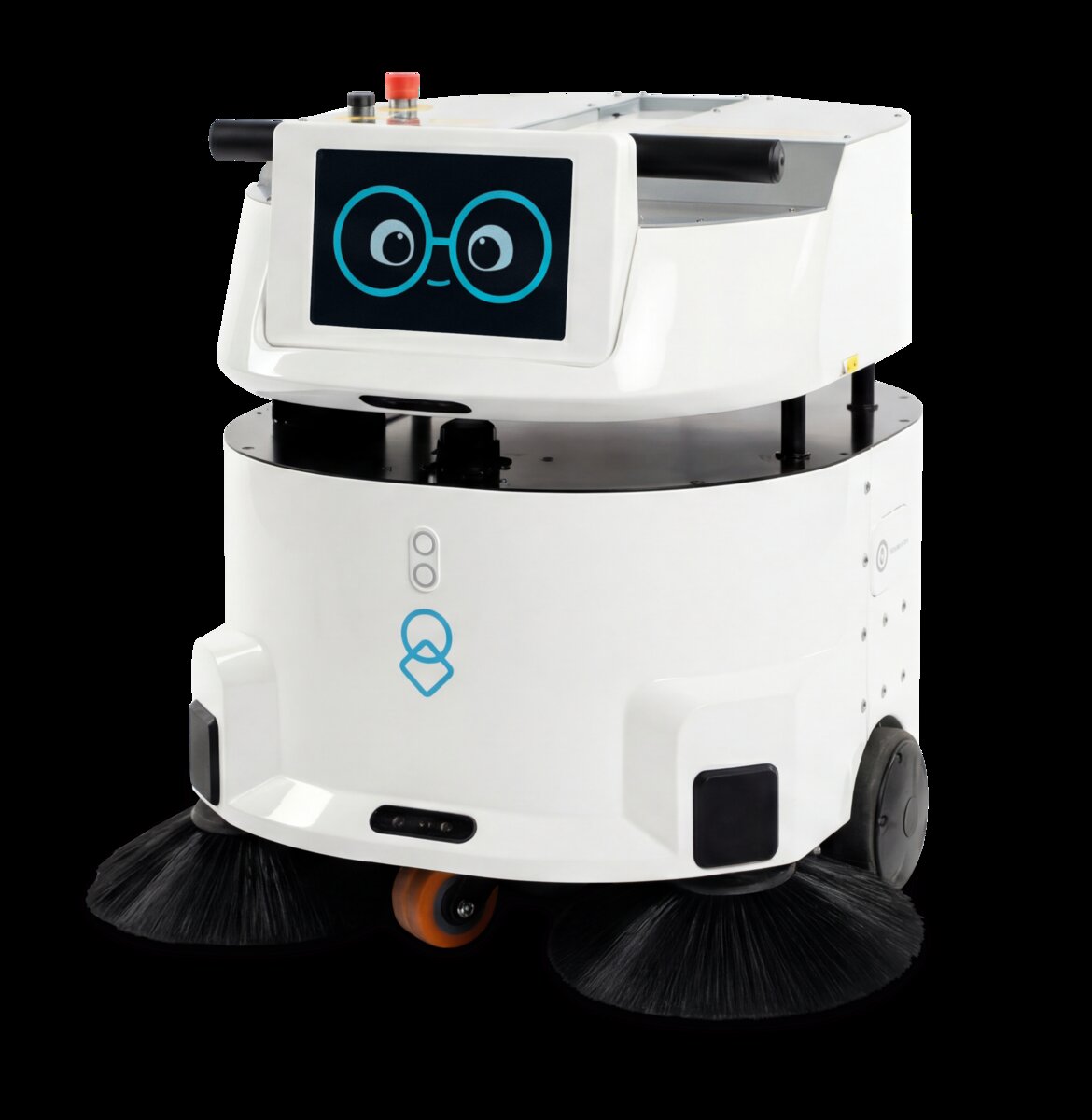
Autonomous robots represent significant capital investments. A single uClean robot, uLog delivery unit, or uServe hospitality platform can cost tens of thousands of dollars. Like any machinery, these robots experience gradual wear: motor brushes fray, wheels accumulate debris, batteries lose capacity, sensors misalign. The question isn't whether maintenance is needed—it's whether you'll address problems before they fail catastrophically.
Preventive maintenance delivers three core benefits: uptime reliability, extended lifespan, and safety assurance. A robot that receives regular cleaning and component checks experiences fewer unexpected breakdowns, continues operating efficiently for years longer, and maintains safe behavior around people and environments.
Consider the real-world impact: a cleaning robot offline for repair disrupts facility operations and requires manual backup cleaning, costing hundreds in labor. A delivery robot stuck in maintenance means missed hospital logistics windows. Preventive maintenance avoids these cascading failures by catching issues early.
Daily Inspection Checklists
Daily checks take 5–10 minutes and catch the most common issues before they escalate. These tasks should be assigned to the facility staff member who works closest to the robot each day.
Cleaning Robots (uClean Series)
- Visual inspection for cracks, dents, or loose panels on chassis
- Check wheel tread for wrapped strings, hair, or debris—remove any tangles
- Inspect brush rollers for hair, threads, or stuck material—clean or replace as needed
- Verify water tank water level and emptiness of dirty water tank
- Listen for unusual sounds (grinding, squealing) during operation test
- Check battery charge level and ensure robot docks properly
- Verify cleaning performance on a test area—reduced suction or uneven cleaning suggests filter issues
- Confirm all sensors are clean (no dust, fingerprints, or obstructions)
Delivery Robots (uLog Series)
- Walk around robot and check for physical damage or misalignment
- Inspect wheels/tires for flats, bulges, excessive wear, or debris
- Test cargo compartment door opening and closing—smooth operation required
- Verify battery charge and connection to charging dock
- Confirm all indicator lights are functioning (status, battery, warning)
- Check for any error messages on the control interface or app
- Test obstacle avoidance with manual movement across a test area
- Verify weight sensors in cargo bay are responsive (test with load)
Hospitality Robots (uServe)
- Inspect chassis and arm for visible damage, rust, or loose fasteners
- Test arm movement range—smooth, no grinding or stuttering
- Check gripper or delivery tray for sticky residue, corrosion, or misalignment
- Verify all wheels roll freely with no flat spots
- Confirm battery level and charging connection
- Test all LED indicators and display responsiveness
- Inspect sensor lenses (cameras, lidar) for dirt, fingerprints, or condensation
Weekly Maintenance Tasks
Weekly servicing is deeper than daily checks and typically requires 20–45 minutes. This is a good task for a designated facility technician or robot administrator.
Cleaning Robots
Filter and Suction System: Remove and visually inspect the primary filter. If covered with dust buildup, tap out debris (not wash) or replace if clogged. Run the motor for 30 seconds to clear the line. Verify suction power with your hand over the outlet—it should create strong vacuum.
Wheel and Brush Deep Clean: Use a damp cloth to wipe wheel treads and remove any stubborn debris. Remove brush roller and soak it in warm water with mild detergent for 10 minutes, then air-dry. Check brush bristles—if more than 20% are worn or kinked, schedule replacement.
Water System: Flush the clean water tank with distilled water and empty the dirty water tank completely. Check intake and output hoses for kinks, cracks, or blockages. If using a chemical cleaning agent, verify concentrations are correct per manufacturer guidelines.
Delivery Robots
Tire Inspection: Check tire pressure against manufacturer specs. Look for punctures, bulges, or uneven wear patterns. Spin each wheel and listen/feel for binding or rough rotation. Clean tire treads of any embedded debris.
Drive Train Lubrication: Consult your maintenance manual for the specific lubrication schedule. Most platforms require light oil on wheel axles and motor shafts every 7–10 days of operation. Use only manufacturer-approved lubricants.
Sensor Cleaning: Wipe all sensors (lidar, cameras, proximity sensors) with a soft, dry, lint-free cloth. Never use liquids on sensors—moisture causes malfunction. Check sensor housings for cracks.
Cargo System Check: Open and close the cargo door 10 times, noting smoothness. Check the latch mechanism for corrosion or deformation. Verify the weight sensor zeroes with no load.
Hospitality Robots
Arm and Gripper Servicing: Move each arm joint through its full range 5–10 times to distribute lubricant and identify resistance. If movement is stiff, refer to the maintenance manual for gripper lubrication points. Check electrical connectors at the wrist and gripper for corrosion.
Wheel and Base Cleaning: Remove any dust, hair, or debris from wheel wells. Wipe the entire base chassis with a damp cloth (avoid electronics). Check that all wheels spin freely.
Monthly & Quarterly Servicing
Monthly tasks require basic technical knowledge; quarterly servicing typically requires the facility technician and may warrant a vendor call for complex components.
Monthly Checklist (All Robot Types)
| Task | Purpose | Time Required |
|---|---|---|
| Battery capacity test | Measure actual charge hold vs. expected capacity (should be >80% nominal) | 15 min |
| Fastener inspection | Check all visible bolts and screws; tighten if loose | 10 min |
| Cable and connector inspection | Look for fraying, corrosion, or loose connectors | 10 min |
| Motor current draw test | Verify amperage during operation stays within spec | 10 min |
| Software/firmware update check | Review available updates; install if recommended | 30 min |
| Diagnostic log review | Check for error codes or warnings logged by the robot | 15 min |
Quarterly Deep Servicing
Every three months, perform a comprehensive inspection and address wear items:
- Battery health assessment: If capacity has dropped below 70% nominal, schedule replacement during the next service window.
- Bearing lubrication: Motor bearings, wheel axles, and drive shafts may require re-lubrication. Consult the maintenance manual for intervals.
- Electrical connections: Inspect power connectors, charging contacts, and internal circuit board terminals for corrosion. Light oxidation can be cleaned with isopropyl alcohol and a soft brush.
- Replace wear items: Brush packs in cleaning robots, drive belts in logistics robots, and gripper pads in service robots all have finite lifespans. Quarterly checks help you schedule replacements proactively.
Common Failure Points by Robot Type
Understanding what breaks first helps you prioritize maintenance effort.
Cleaning Robots (uClean)
Brush rollers wear fastest due to continuous contact with dirty floors. Expect replacement every 300–500 operating hours. Filters clog with dust; maintenance depends on environment. A dusty warehouse may require weekly filter attention, while clean offices need monthly checks. Wheels accumulate hair and string, causing drive motor strain. Water pumps can fail if exposed to sediment; always use filtered water. Battery capacity naturally declines; plan for replacement every 2–3 years depending on usage.
Delivery Robots (uLog)
Tires are the #1 wear item—expect 2–3 replacements over 5 years depending on floor type and load. Drive motors can seize if not lubricated; weekly checks prevent this. Weight sensors in the cargo bay drift over time; recalibration may be needed quarterly. Lidar units can accumulate dust on the lens, degrading navigation accuracy. Battery degradation is gradual but predictable; capacity drops 1–2% per month under normal use.
Hospitality Robots (uServe)
Gripper pads harden or tear after thousands of cycles—plan for replacement every 1–2 years. Arm joints can accumulate dust in the pivot bearings; compressed air cleaning helps. Motor encoders are sensitive to shock; drops or collisions often cause calibration drift, requiring vendor support. Wheels wear faster on rough floors (outdoor concrete) vs. smooth indoor floors. Charging contacts corrode in humid environments; inspect monthly and clean with isopropyl alcohol if needed.
Spare Parts Inventory Strategy
Stock common wear items so a broken component doesn't force a days-long wait for replacement. For facilities running 2+ robots, maintain these on hand:
Essential Spare Parts Kit
Cleaning robots: 2× brush roller sets, 3× filter cartridges, 1× water pump, 1× set of wheels/tires, spare cables and connectors. Delivery robots: 2× tire sets, 1× set of encoder wheels, spare sensors (proximity, weight), brake pads if applicable. Hospitality robots: 2× gripper pad sets, 1× arm servo motor, spare wheels, replacement connectors and cables. Always include general supplies: compressed air canister, lint-free wipes, isopropyl alcohol, assorted fasteners, and thermal paste for motor bearings.
Establish a restocking schedule: when you use a spare part, order replacement within a week. Track parts usage in your maintenance log so you can predict when high-wear items will be needed.
Maintenance Scheduling Software
For facilities with 3+ robots, manual scheduling becomes error-prone. A maintenance management system helps track every service, predict when parts will fail, and ensure no robot is missed.
Key features to look for: Automated reminders for daily/weekly/monthly tasks, role-based access (facility staff vs. technicians), work order creation and closure, parts inventory management, cost tracking, and historical reporting. Popular options include Fiix, Limble CMMS, and Dude Solutions, many with mobile apps so technicians can log work on-site.
Even a simple spreadsheet beats no system. Log the date, robot ID, task completed, technician name, and any issues found. After 6 months of data, patterns emerge: which robots need more attention, which parts fail predictably, and how many hours technicians actually spend on maintenance.
When to Call the Vendor vs DIY Repairs
Not every maintenance task requires factory support. A good rule of thumb: if the task involves consumables, fasteners, or external components, handle it in-house. If it involves electronics, firmware, or complex assemblies, call the vendor.
| Task | In-House OK? | Notes |
|---|---|---|
| Clean filters and wheels | ✓ Yes | Consumable maintenance; documented in user manual |
| Replace brush packs | ✓ Yes | Designed for technician replacement; includes instructions |
| Lubricate motors and bearings | ? Partially | Light lubrication OK; major bearing work contact vendor |
| Reprogram navigation or gripper routines | ✗ No | Requires vendor support; incorrect settings can cause safety issues |
| Replace battery packs | ? Partially | Swapping batteries OK; balancing and calibration require vendor |
| Troubleshoot sensor failures | ✗ No | Requires diagnostic equipment; misdiagnosis wastes time and money |
| Fix mechanical collisions (bent arm, cracked motor mount) | ✗ No | Realignment and stress testing require vendor expertise |
| Perform firmware updates | ? Partially | If you've been trained by vendor, yes; otherwise contact support |
Calculating the Cost of Downtime
Maintenance budgets are easier to justify when you quantify the cost of *not* maintaining. Here's how to calculate the financial impact of robot downtime.
Labor Replacement Cost
If a robot is down, what's the cost of manual work to fill the gap? For a cleaning robot in a 50,000 sq ft facility, one day of downtime means hiring a temporary cleaner or paying overtime. At $20/hour for 8 hours, that's $160 per day. Multiply by likely downtime frequency: if preventive maintenance reduces failures from 4/year to 1/year, you save $480 annually on that robot alone.
Operational Disruption
A delivery robot offline disrupts hospital logistics workflows. If it normally handles 20 deliveries/day and manual delivery takes 3× longer, the cost is the nurse/staff time spent running packages. At $40/hour for 2 hours of rerouted work, that's $80/day. An uLog down for 3 days (waiting for parts) costs $240 in labor disruption alone.
Revenue Impact
A hospitality robot offline means reduced guest engagement or slower service. A hotel running uServe robots sees measurable impact on guest satisfaction scores. If downtime damages reputation and reduces repeat bookings, the cost is exponential.
Sample ROI Calculation
A mid-size facility with 4 uClean robots and 2 uLog robots:
- Annual preventive maintenance cost (parts + technician time): $3,200
- Baseline downtime without preventive maintenance: 8 days/year total (2 per robot)
- Downtime cost (labor + disruption): 8 days × $250/day = $2,000
- Cost of emergency repairs (expedited parts, overtime labor): $1,500
- Total cost without preventive maintenance: $3,500
- Net benefit of preventive program: $300 (plus extended robot lifespan worth $5,000+)
Pro Tip: Track Your Own Numbers
Don't rely on industry averages. Log every maintenance action and downtime event in your facility for 6–12 months. Calculate your actual downtime costs, then use that data to justify maintenance budget increases to leadership. Real numbers are far more persuasive than generic benchmarks.
Getting Started with Your Maintenance Program
If you're starting from scratch, don't implement everything at once. Phase your program:
- Week 1: Establish daily visual inspections using the checklists above. Assign one staff member per robot.
- Week 2–3: Conduct first comprehensive weekly maintenance. Document any issues found.
- Month 2: Implement weekly maintenance scheduling and basic spare parts stocking.
- Month 3: Add monthly testing and diagnostics. Set up a simple tracking spreadsheet or software.
- Month 4+: Establish quarterly deep servicing and adjust your program based on actual failure patterns in your facility.
Preventive maintenance is not a cost center—it's an investment in reliability, safety, and longevity. Robots that receive consistent care run longer, break less often, and deliver better value over their operational lifetime.